Self-hosted monitoring
no0bz Command Center
My own monitoring for everything running at home. A server collects readings from the Windows and Linux machines and the Unraid server and shows them in one shared dashboard. No third-party cloud, no telemetry leaving the house, reachable on the local network or over Tailscale.
- current version, 8 November 2026
- 0.7.1
- commits since the first one on 26 Sept 2026
- 379
- versions in the changelog
- 53
- automated tests at 0.7.0 (171 backend, 18 in the browser)
- 189
Counted in the repository on 8 November 2026. The test count comes from the project journal for version 0.7.0.
What NCC does
Live readings
CPU, memory, drives, network, battery, GPU, sensors and processes. If a machine can’t deliver a value, the field stays empty instead of guessing.
Track diagram of every device
Windows, Linux and the Unraid server on one board, sorted into groups. A dual-boot PC shows up as one device with two OS profiles.
Alerts and Telegram
Thresholds for load and temperatures, plus checks on the agents themselves. Alerts can go out via Telegram, per account and with a weekly summary.
Pairing by link
A new machine shows a link; you sign in and approve it. Nobody has to copy keys around by hand.
Signed updates with a way back
Agents fetch new versions by themselves, but only with a valid signature. If an update doesn’t start cleanly, the last working version runs again.
Roles
Commanders can do everything, beta testers can see everything, friends manage only their own devices. The server enforces it.
Games and statistics
Play time with a leaderboard and heatmap for Steam and Battle.net games, hourly hardware statistics. Gaming mode mutes load alerts while you play.
Fleet chat
A shared chat with attachments and safely rendered Markdown, right in the dashboard.
The “Stellwerk” dashboard
Since version 0.7.0 the dashboard has been rebuilt, modelled on a railway signal box: a track diagram instead of a wall of tiles, signal lamps with fixed meanings.
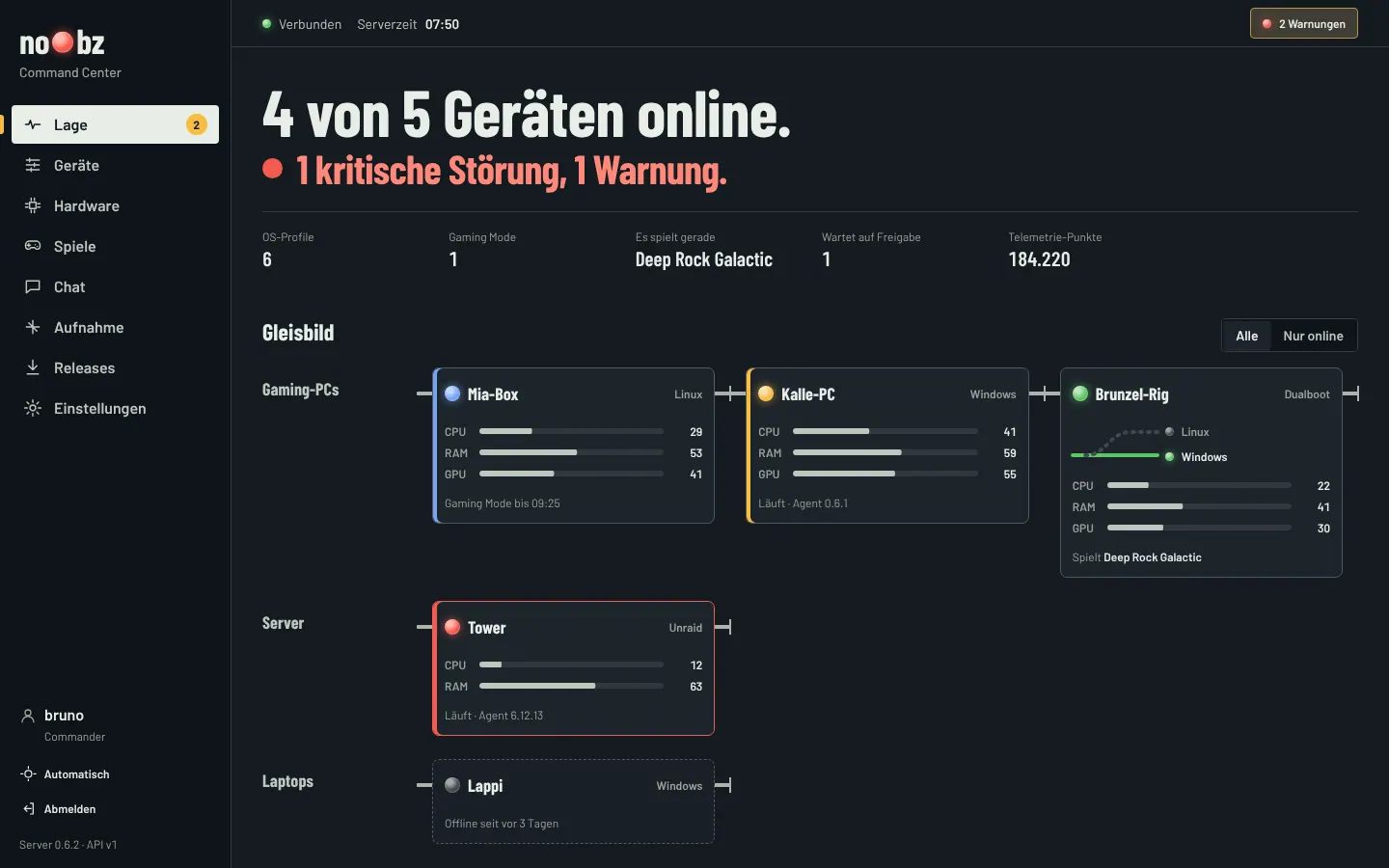
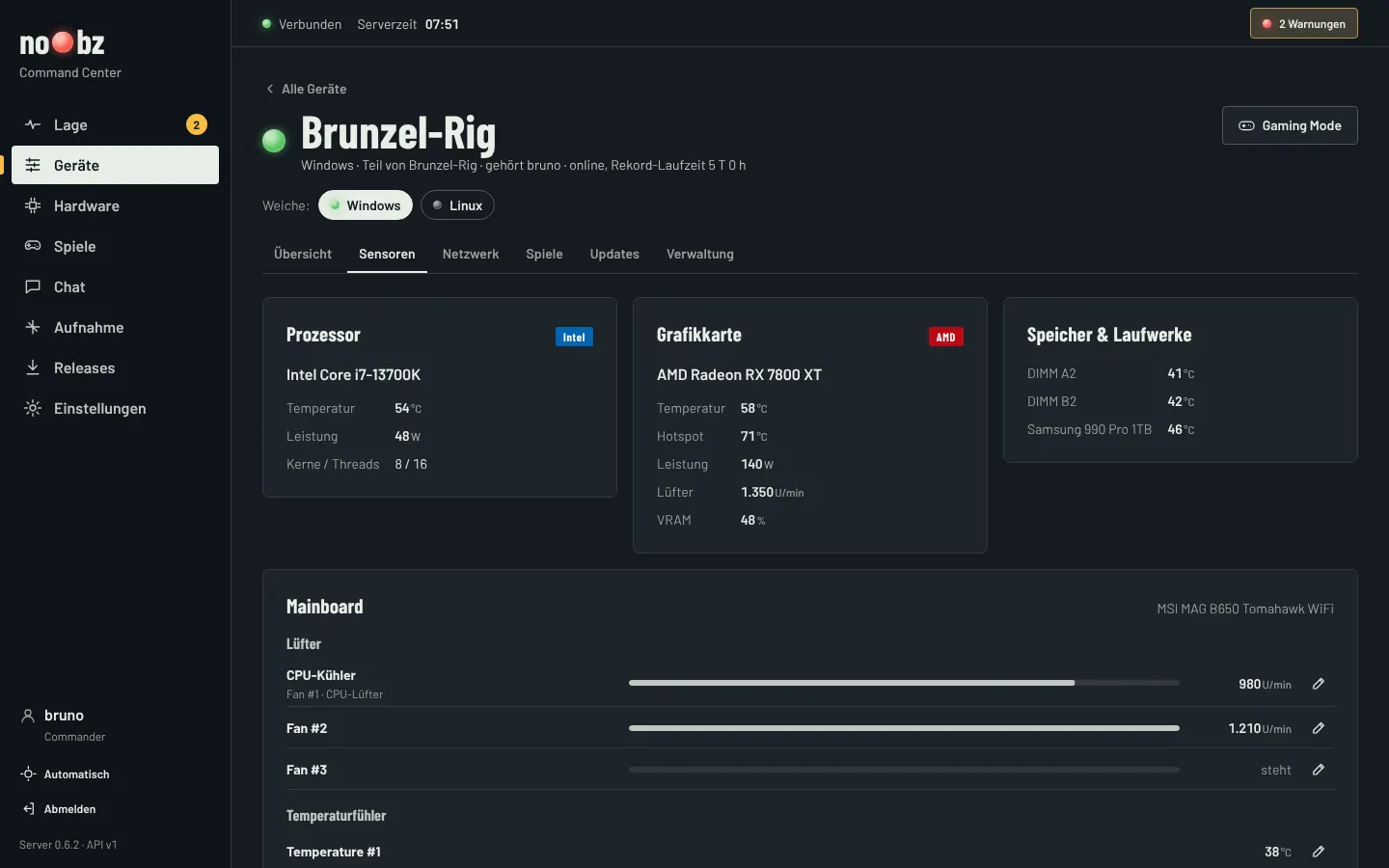
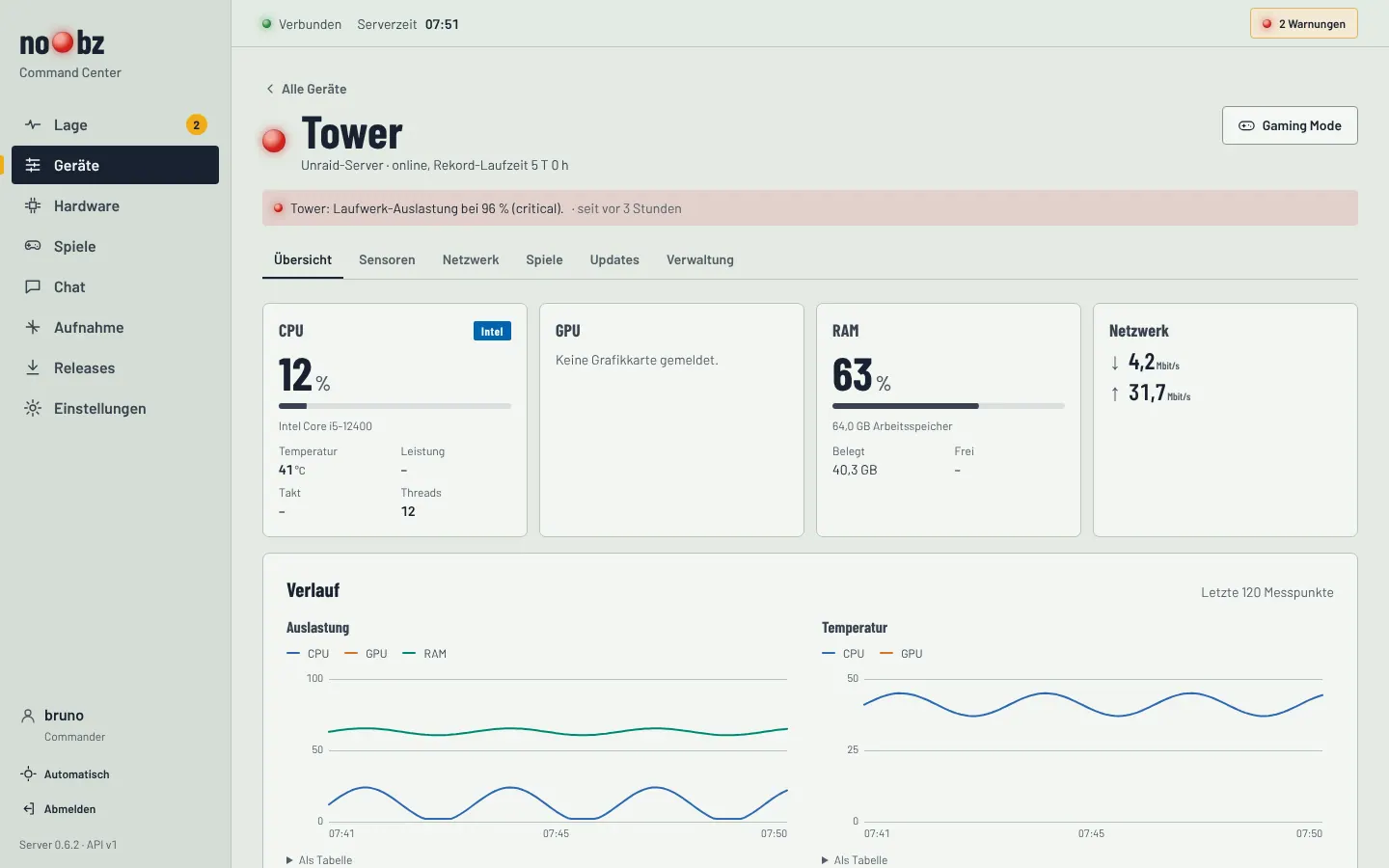
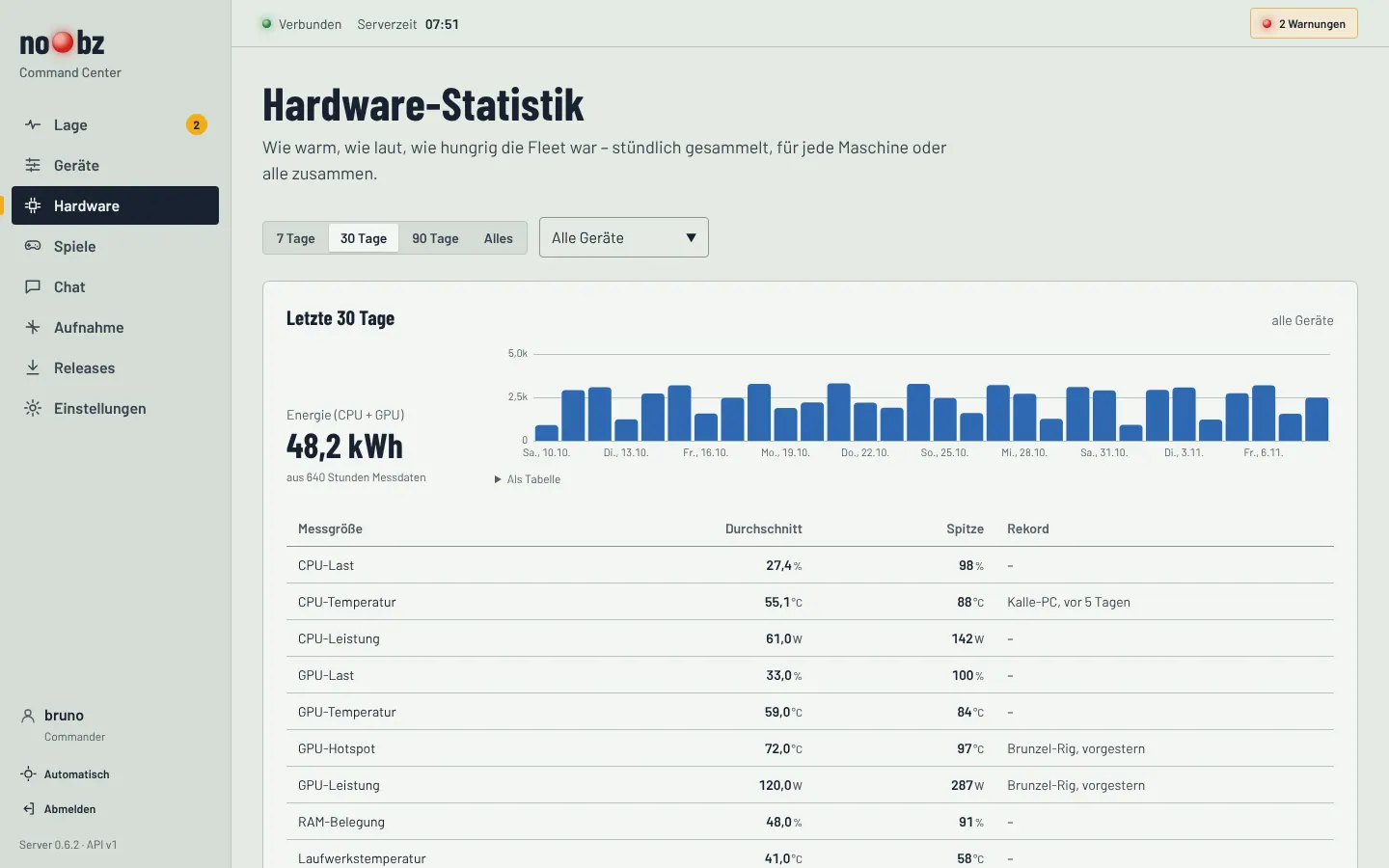
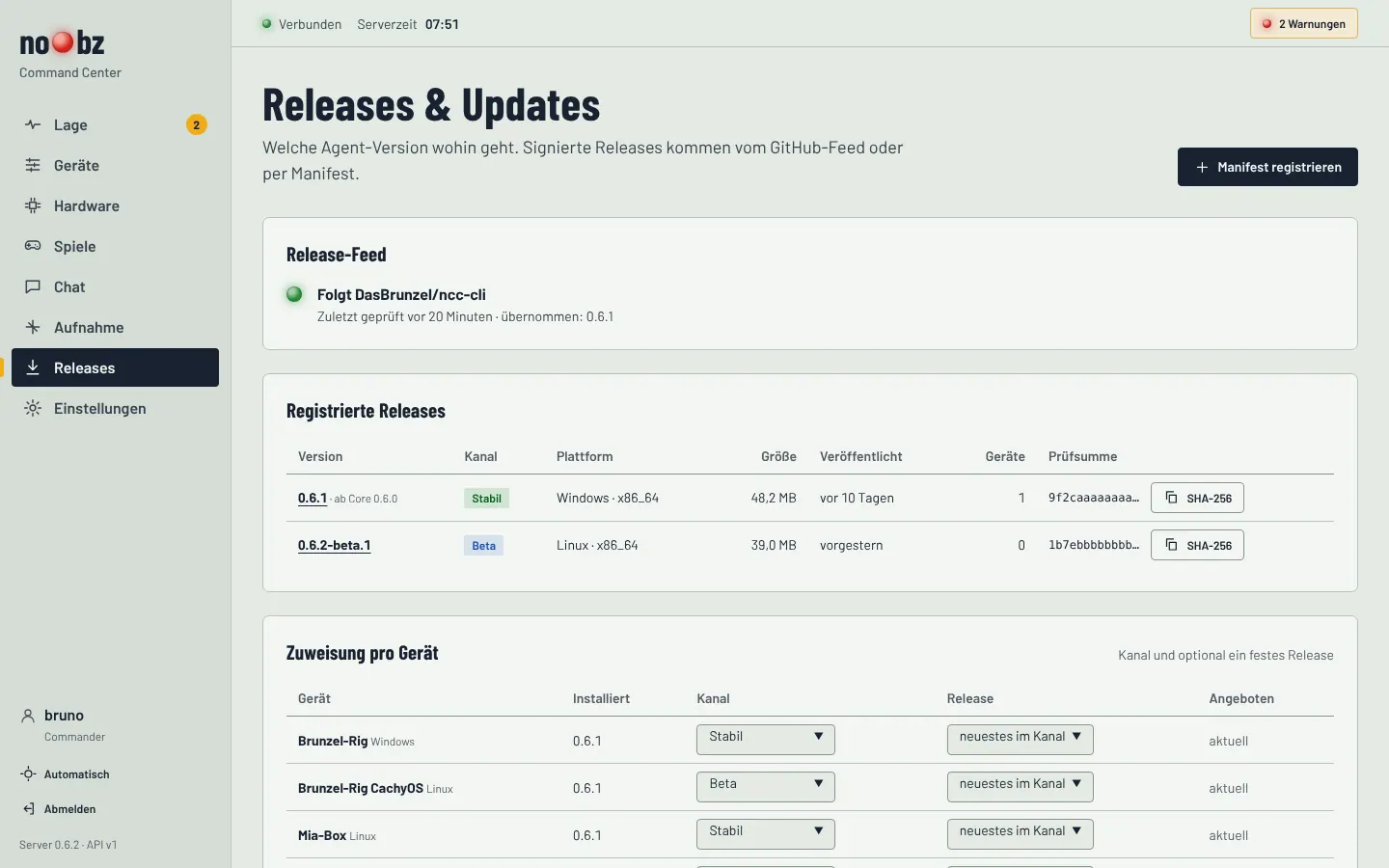

On a phone the navigation moves to the bottom edge. The dashboard can be installed as an app and shows the number of alerts on the app icon.
All screenshots come from the project’s mock server with sample data. No real devices or readings are shown. The dashboard itself is in German.
Architecture
Since version 0.5 NCC has been a server with agents; since 0.6 the agents have a fixed core and a replaceable part.
Agents
Run headless as a service on Windows and Linux. A small fixed core in Rust handles the service, updates and rollback; a replaceable Python part takes the measurements. Readings go into a local buffer first.
Unraid
No agent of its own; connected through the official Unraid API: array, drives, temperatures, VMs and Docker containers.
NCC server
Python with FastAPI and PostgreSQL. Receives all data, checks access and roles, sends alerts and serves the dashboard.
“Stellwerk” dashboard
React 19 with TypeScript and Vite. Light and dark, works on a phone, installable as an app. Pauses in background tabs.
- Agent measures
- local buffer
- HTTPS, optionally over Tailscale
- NCC-Server
- PostgreSQL
- Dashboard in the browser
Updates arrive as signed packages from the GitHub releases. The private signing key never sits on the server or an agent.
Tech stack
| Server | Python 3.10+, FastAPI, SQLAlchemy, Alembic, PostgreSQL, Docker Compose |
|---|---|
| Agents | NCC Core in Rust, telemetry payload in Python, psutil, NVIDIA NVML, LibreHardwareMonitor (Windows), hwmon and AMDGPU (Linux), smartctl |
| Windows | standalone installer built with Inno Setup, tray app in C#/.NET |
| Dashboard | React 19, TypeScript, Vite, TanStack Query, Playwright |
| Security | updates with Ed25519 signatures and SHA-256 checks, tokens stored only as hashes, HttpOnly sessions |
| Licence | MIT |
Versions
- First commit
Three days later, version 0.3 brings live readings, a local chat and local, server and client modes.
- 0.4
Launchers for a Tailscale server and client, management of the shared token.
- 0.5 Alpha
The server becomes a headless application of its own, with PostgreSQL and individual credentials for every agent.
- 0.5 Beta
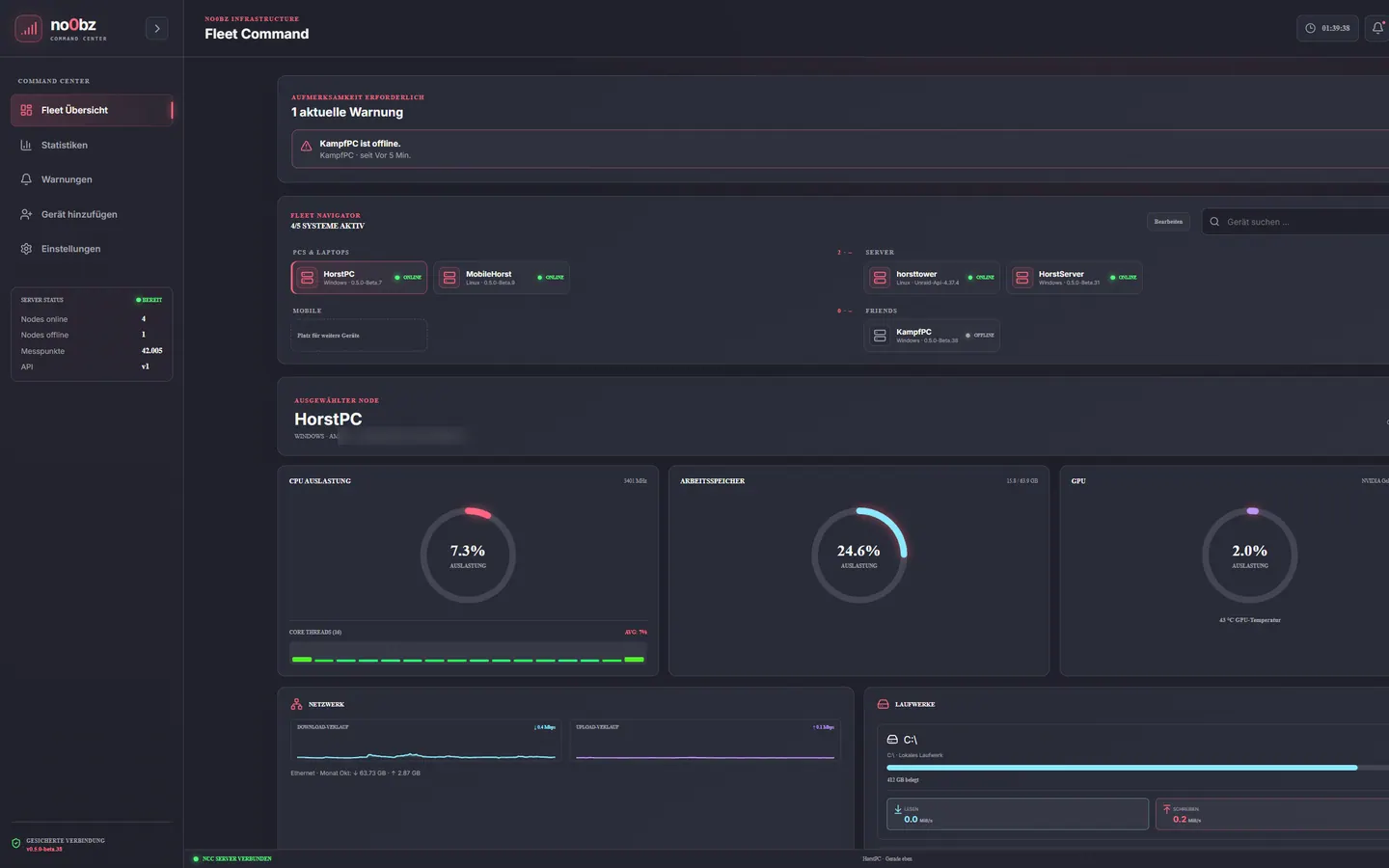
Fleet dashboard with device cards, alert centre, Telegram and nine colour themes. This is what NCC looked like in early October (image below).
- 0.6 Beta
The agents get a fixed core and a replaceable part for the measurements.
- 0.6.0
First regular 0.6 release: standalone Windows installer, automatic updates.
- 0.7.0
The completely new “Stellwerk” dashboard.
- 0.7.1
Deleting accounts, roles for agent invitations, renamable groups, live traffic for the whole fleet.
Built with AI
I built most of NCC with ChatGPT Codex, and the branches still carry that name. Since November the work continues with Claude: the “Stellwerk” dashboard and versions 0.7.0 and 0.7.1 came about that way.
That’s why the README says explicitly that parts were made with AI assistance and, like any other contribution, should be reviewed and tested on real hardware.
NCC Android
The Command Center has an Android app with its own repository.
Placeholder: description, features, tech and screenshots of NCC Android. The repository wasn’t publicly accessible when this site was built.